Data Import
Use Administration > Data Import to migrate or add planning data.
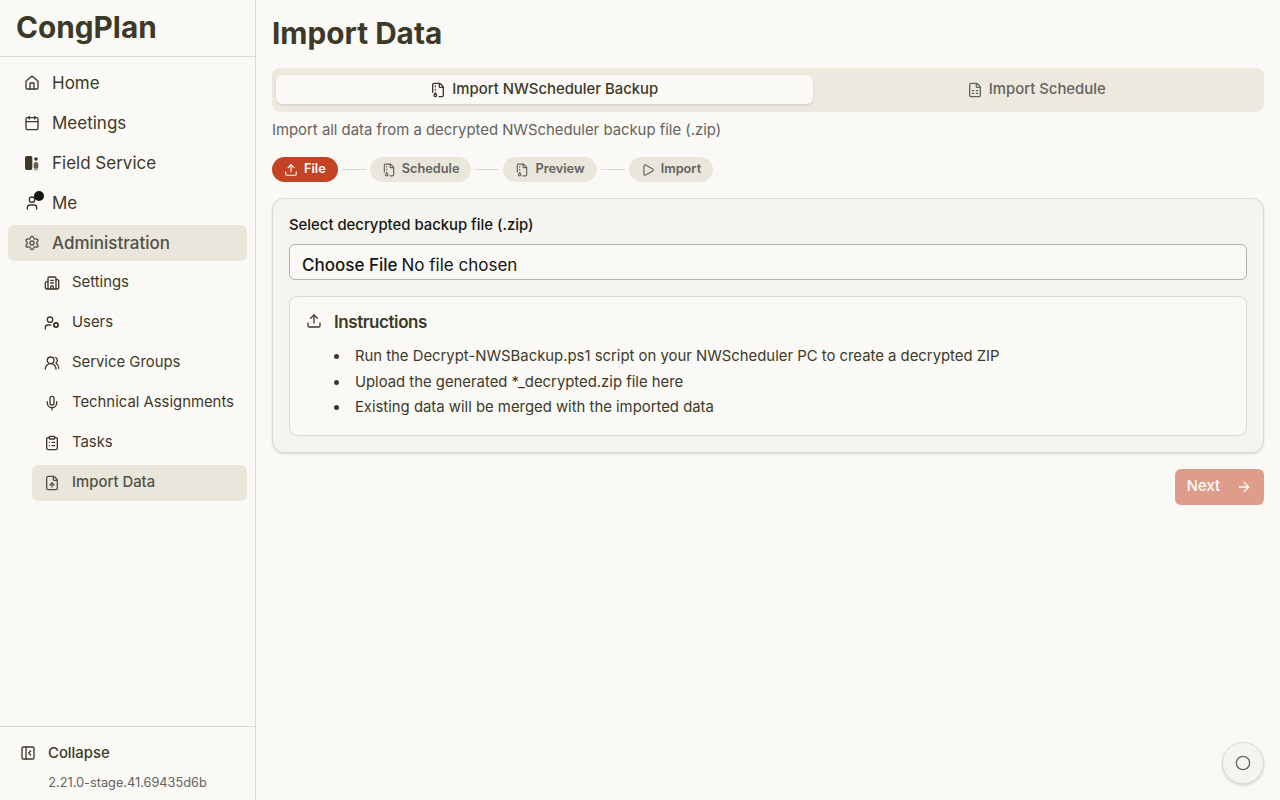
Import Types
CongPlan provides two main import flows:
- NW Scheduler backup import — Migration data such as publishers, service groups, meetings, assignment history, technical assignments, and absences where available
- Program import — Meeting program data from a CSV/workbook-style source
NW Scheduler Backup Import
The import expects the supported backup package format from NW Scheduler. Depending on the export, this may be a zipped backup file.
Typical flow:
- Open Administration > Data Import
- Select the NW Scheduler import
- Upload the backup package
- Review detected data and meeting-time assumptions
- Review the preview
- Resolve conflicts such as duplicate names
- Start the import
tip
Create a fresh NW Scheduler backup immediately before migration.
Program Import
The program import can detect and preview program data before it is written:
- Upload the program file
- Review detected date format and program structure
- Match CSV names to existing users where needed
- Check the preview
- Confirm the import
Program imports add or update program data. Review the preview carefully before confirming.
After Import
Check:
- Users and permissions
- Service groups
- Meeting times
- Meeting detail pages
- Technical assignment templates and assignments
- Absences and imported history
Troubleshooting
| Problem | What to check |
|---|---|
| File rejected | Confirm that the uploaded file is the supported backup/package format |
| Duplicate users | Resolve or merge duplicates in the preview |
| Missing assignments | Check whether the source backup contained assignment history |
| Wrong dates | Verify date format and meeting-time settings before confirming |