Public Witnessing Planning
Use public-witnessing planning to maintain recurring plans, locations, shifts, signups, and cancellations.
Public witnessing is integrated with the rest of CongPlan. Planners can maintain the recurring structure, while eligible publishers see available shifts and their own signups in the same app they use for meeting and service assignments.
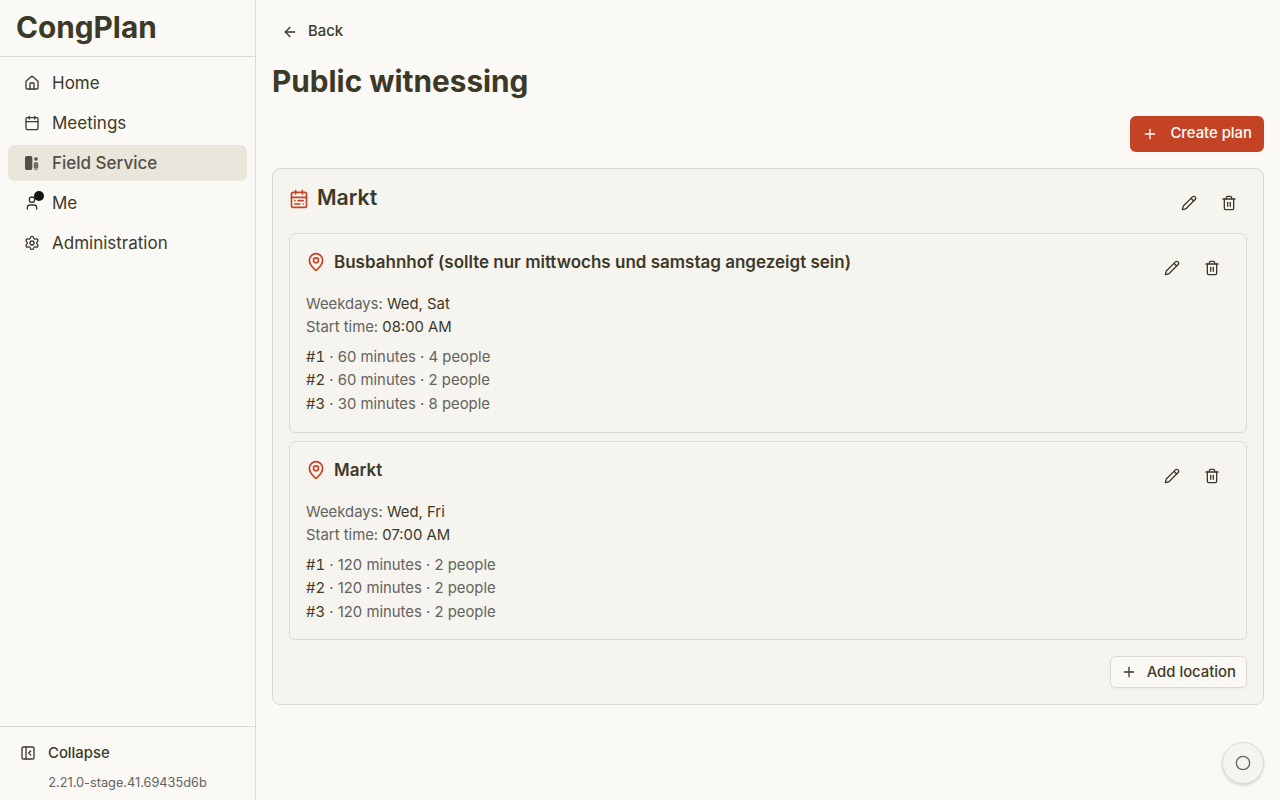
Access
The planning page requires the Manage public witnessing permission. Publishers only need Public witnessing eligibility to view and sign up for shifts.
Planning Model
Public witnessing has these layers:
| Layer | Meaning |
|---|---|
| Plan | Named planning area, for example a market or city area |
| Location | Specific public-witnessing location inside a plan |
| Weekdays | Days on which a location repeats |
| Shift | Time block with required number of publishers |
| Signup | Publisher entry for a shift |
| Override | Cancellation or exception for a concrete day |
Creating a Plan
- Open the public-witnessing planning page
- Enter a plan name
- Save the plan
- Add one or more locations
Plans can be active or inactive and can optionally have a valid-from and valid-until date.
Locations and Shifts
For each location, maintain:
- Location name
- Weekdays
- Start time
- One or more shifts
- Duration per shift
- Required number of publishers per shift
New shifts can reuse the previous shift's duration and required-count pattern, which speeds up recurring setup.
This keeps recurring setup fast without hiding the concrete day from the planner. You can still adjust an individual day with a cancellation or exception when the normal pattern does not apply.
Day Cancellations
Planners can cancel a concrete public-witnessing day and later restore it. A cancelled day is visible as cancelled instead of deleting the underlying recurring plan.
Signups
Eligible publishers can sign themselves up. Planners can remove signups when needed, for example after a schedule correction or cancellation.
Publisher self-service reduces manual back-and-forth, but the planner still controls the plan structure, capacity, and exceptions.
Deleting a plan or location removes the related planning structure and signups. Prefer making a plan inactive or using valid-until dates when the history should remain understandable.