User Management
Use Administration > Users to manage publishers, qualifications, permissions, invitations, and device setup.
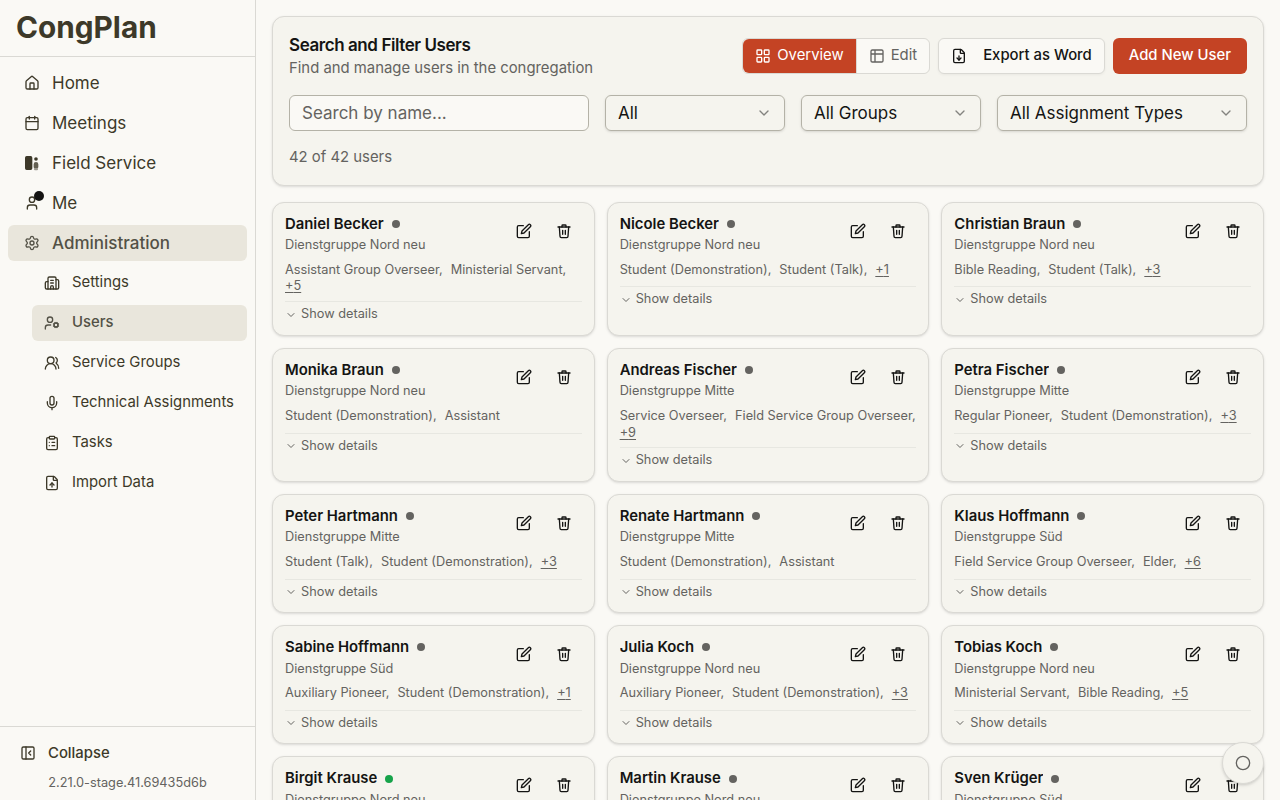
User Overview
The users page provides search, filters, and two management modes. Depending on screen size and saved preference, users can appear as cards or in an edit matrix.
Common actions:
- Search by name
- Filter by gender, service group, and assignment type
- Export users as a Word document
- Add a new user
- Open the user edit sheet
User Edit Sheet
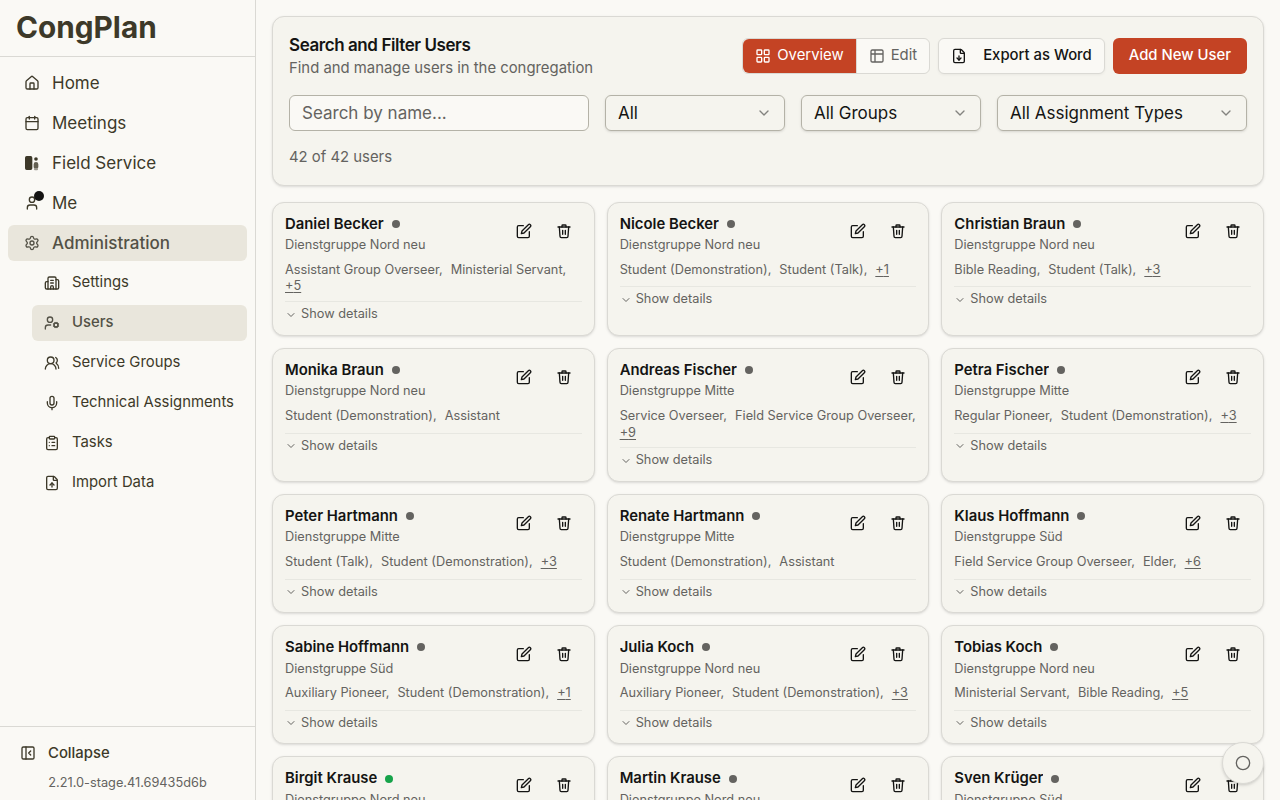
The edit sheet groups data into areas such as:
- Personal information
- Congregation information
- Service group assignment
- Theocratic enrollments and congregation roles
- Meeting assignment qualifications
- Technical assignment qualifications
- Field service assignment types, including Public witnessing
- Permissions
- Invite and device setup actions
Permissions and Eligibility
CongPlan separates eligibility from permissions:
- Eligibility controls what a publisher may be assigned to, for example public witnessing or specific meeting parts
- Permissions control what a user may view or manage, for example users, settings, tasks, technical assignments, or public-witnessing planning
For public witnessing:
- Public witnessing assignment eligibility lets a publisher see and sign up for eligible public-witnessing shifts
- Manage public witnessing permission lets a planner maintain plans, locations, shifts, signups, and cancellations
Permission Presets
Presets are starting points. After selecting a preset, review the individual permission toggles.
| Preset | Typical use |
|---|---|
| Publisher | Personal plan, meetings, field service, and own settings |
| Elder | Broader viewing permissions and service-group context |
| Editor | Planning permissions for meetings and assignments; may include public-witnessing planning depending on setup |
| Administrator | Full administration including users and settings |
Invites and Device Setup
To let a user start using CongPlan:
- Create or open the user
- Generate an invite or setup link
- Share the link directly with the intended person, or let them scan the QR code
Invite links are personal. A device setup link gives an existing user access on another device; it is not a new account.
Deactivating Users
If a publisher leaves or should no longer access CongPlan, deactivate the user instead of deleting historical planning data. Deactivated users cannot sign in but their past assignments remain available for history and planning context.