Assignments
CongPlan keeps your personal assignments and duties in one plan instead of splitting them across separate pages.
Personal Plan
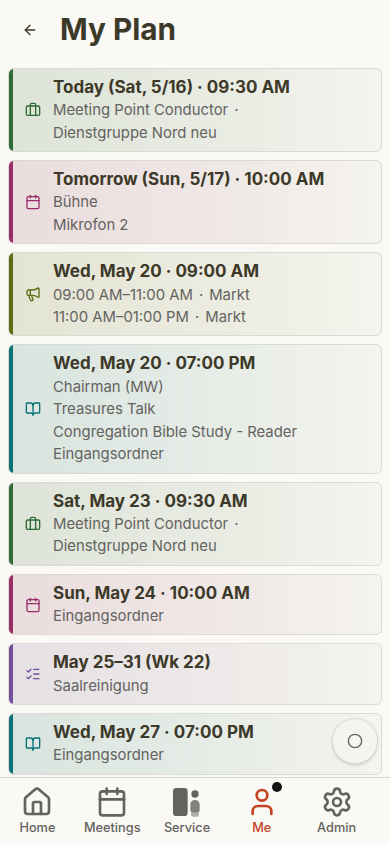
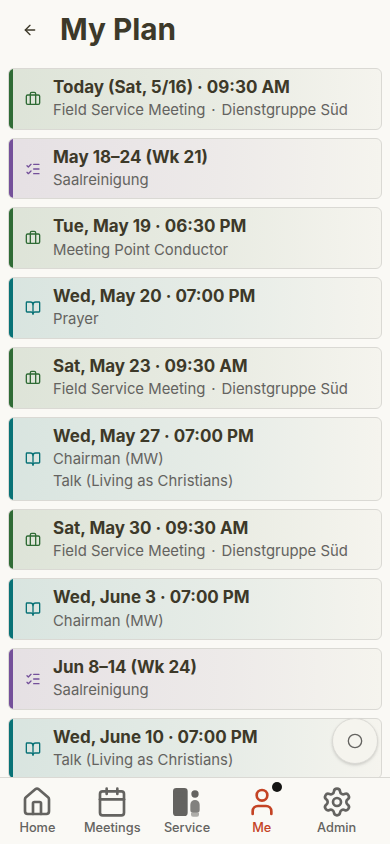
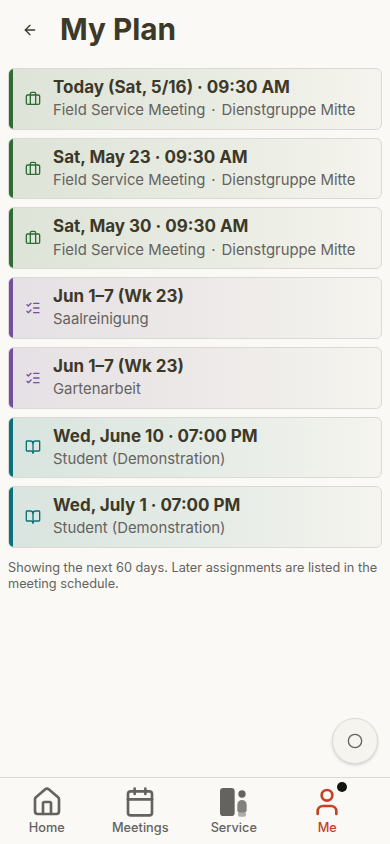
Open User > Plan to see the full timeline. The plan includes upcoming items from several areas:
- Meeting parts in midweek and weekend meetings
- Technical assignments
- Field service meetings
- Public-witnessing shifts
- Tasks assigned to you, your service group, or the whole congregation
The dashboard shows a shorter preview of the same idea.
Because these items share one plan, you do not need to check a meeting page, a technical-assignment sheet, a public-witnessing list, and separate task notes just to know what is coming up. The personal plan is the everyday view for publishers and the quick verification view for planners.
Assignment Details
Each item shows the date, type, and relevant role or title. Selecting an item opens the related meeting, field service meeting, public-witnessing day, or task context.
Student assignments can show both student and assistant. Technical assignments and tasks appear with their own labels so you can distinguish them from meeting parts.
If a task is assigned to your service group or to the whole congregation, CongPlan can show it alongside personal assignments while keeping the label clear. That helps publishers recognize what directly involves them and what belongs to a wider group.
Swap Requests
Where enabled, supported assignment types can use swap requests instead of informal chat coordination. A publisher can start a request from the relevant assignment context, and the receiver can review the request before accepting or declining it.
Swap requests are still part of the planning workflow: coordinators keep the final schedule understandable, while publishers get a clearer way to handle common availability changes.
Notifications
When notifications are enabled, CongPlan can notify you about new or changed assignments. Depending on browser support and your settings, notifications may appear:
- In the app notification center
- As push notifications on installed devices
- As reminders before upcoming assignments
Configure this under User > Settings > Notifications.
Absences
If you are unavailable, add an absence under User > Absences. Coordinators see absences while planning and can avoid assigning you during those dates.
Enter planned vacations, conventions, assemblies, or other known absences early. That makes automatic suggestions and manual planning more reliable.
Mobile Plan Examples
The personal plan changes with the user. Administrators, elders, and publishers see the items relevant to their assignments and permissions.
See Role-Based Mobile Gallery for more examples.