Technical Assignments
Use Administration > Technical Assignments to plan technical duties for meeting weeks.
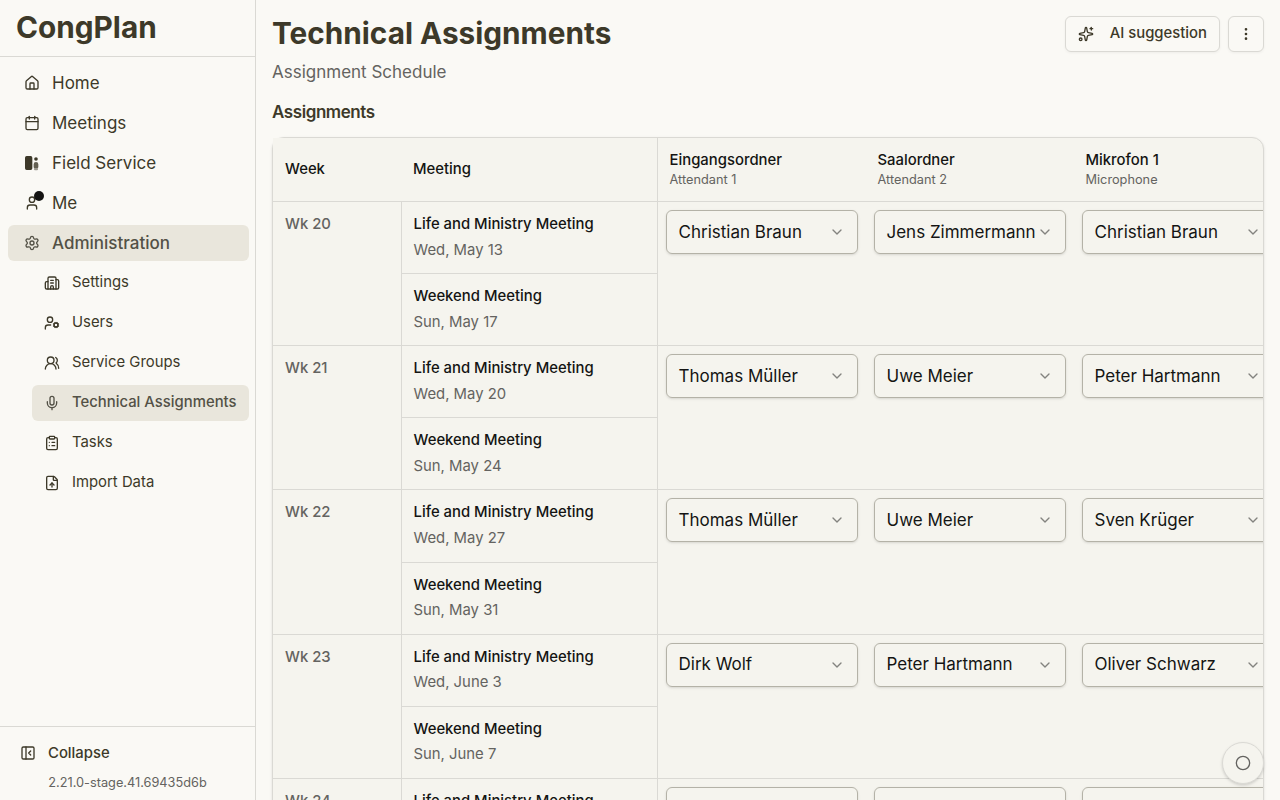
Overview
Technical assignments are separate from meeting parts. The exact roles depend on the congregation's templates, for example stage, microphones, attendants, sound, or video.
The goal is to plan these duties with the same care as visible meeting parts. CongPlan keeps technical roles close to the meeting week, the publisher's qualifications, assignment history, current conflicts, and known absences.
Scheduler
The scheduler shows meeting weeks and assignment slots. Depending on screen size, it can render as a matrix or a mobile-optimized list.
Current planning uses pending changes:
- Select an assignment slot
- Choose a qualified publisher
- Review warnings or conflicts
- Save all pending changes
The matrix is useful for broad planning because it shows many weeks and roles at once. On smaller screens, the same work can be handled in a mobile-optimized flow so technical planning remains usable away from a desktop.
Toolbar Actions
The toolbar can include:
- Import technical assignments
- Assignment templates
- Load defaults for standard templates
- AI suggestion for generating a proposed plan
Assignment Templates
Templates define which technical assignment types are needed. Use them to configure role names and required counts for midweek and weekend meetings.
AI Suggestions
The suggestion dialog can propose assignments for a selected range. Review options such as start week, included assignment types, and whether existing assignments should be overwritten. Suggestions are applied as pending changes first; save them only after review.
Suggestions are designed as a draft, not an autopilot. Review the proposed plan for:
- Whether the suggested publisher is qualified for the role
- Whether absences or other assignments make the suggestion unsuitable
- Whether recent history looks balanced
- Whether existing assignments should remain in place
Only save the pending changes after this review.
Qualified Publishers
Qualifications are maintained in the user edit sheet. Only qualified publishers should be assigned to the corresponding technical assignment type.
Keeping qualifications up to date improves both manual selection and suggestions. If a publisher does not appear where expected, check the qualification first before assuming a planning error.