Meeting Details
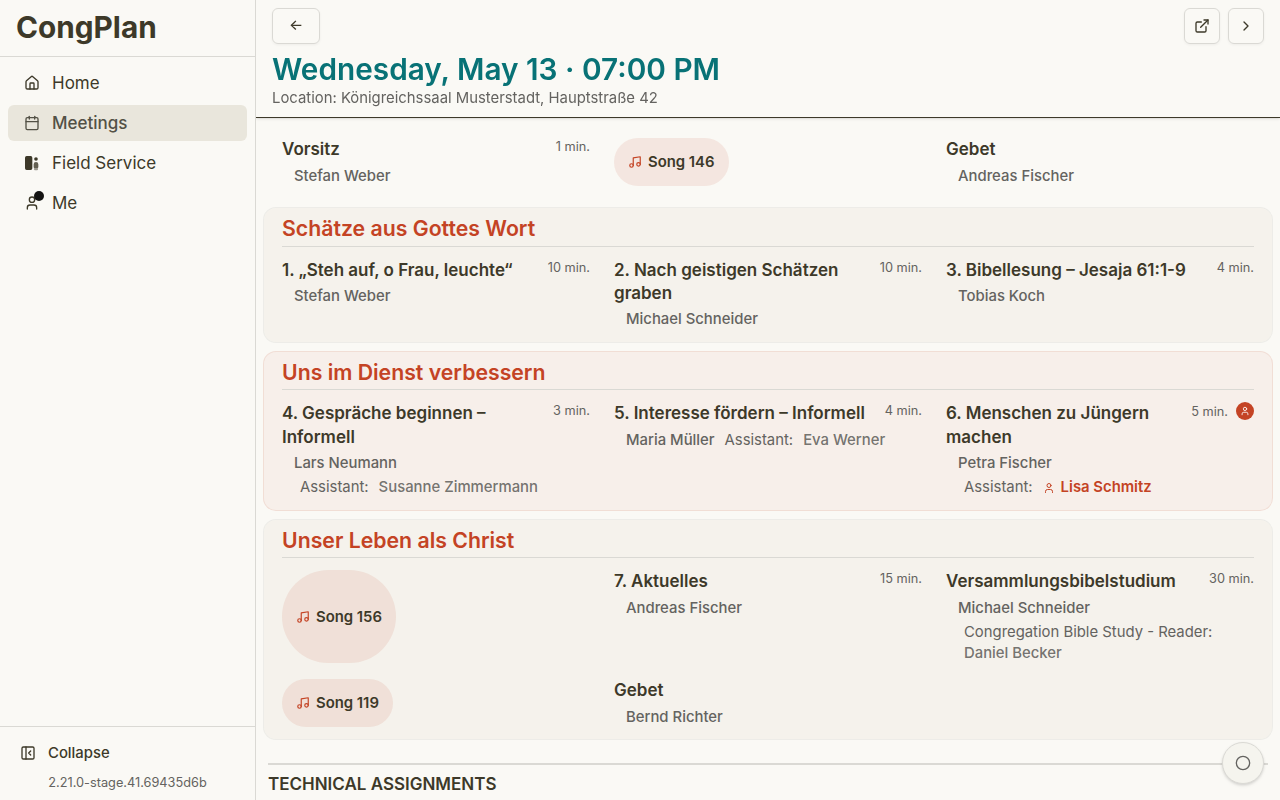
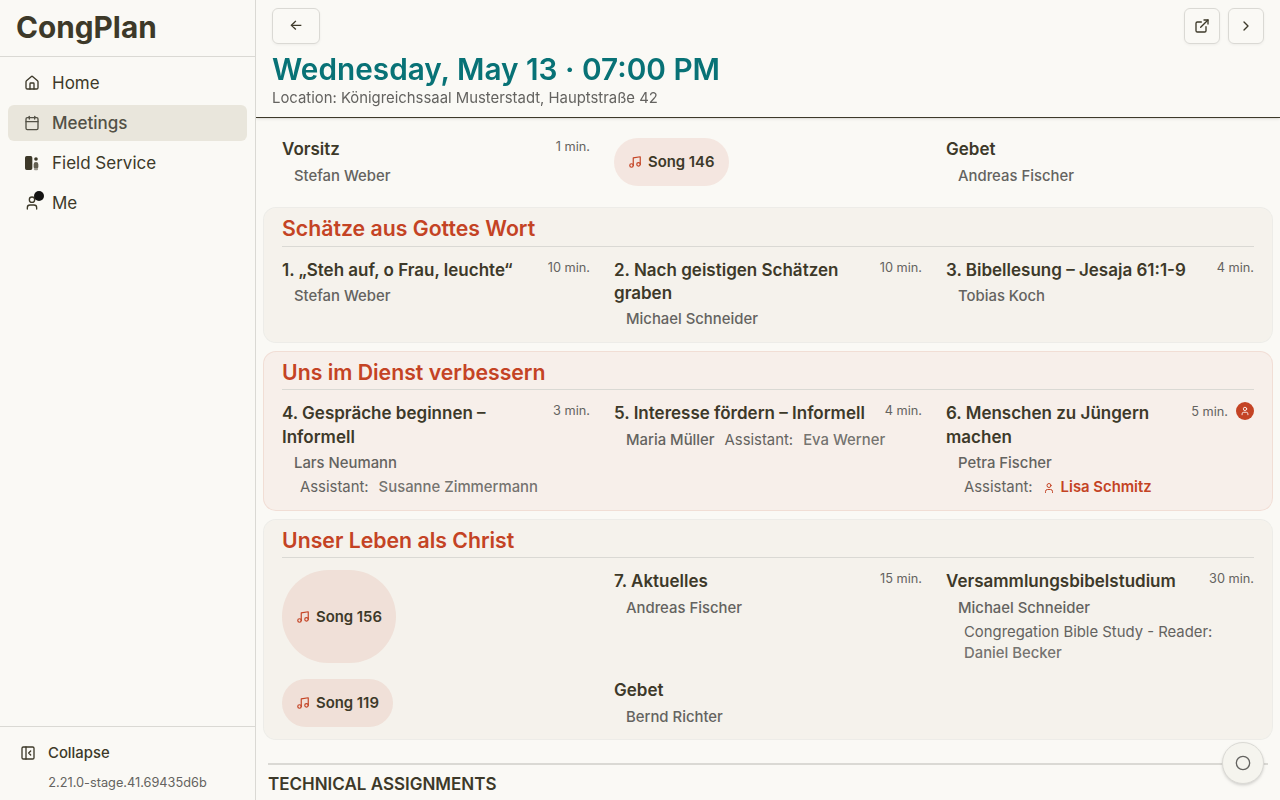
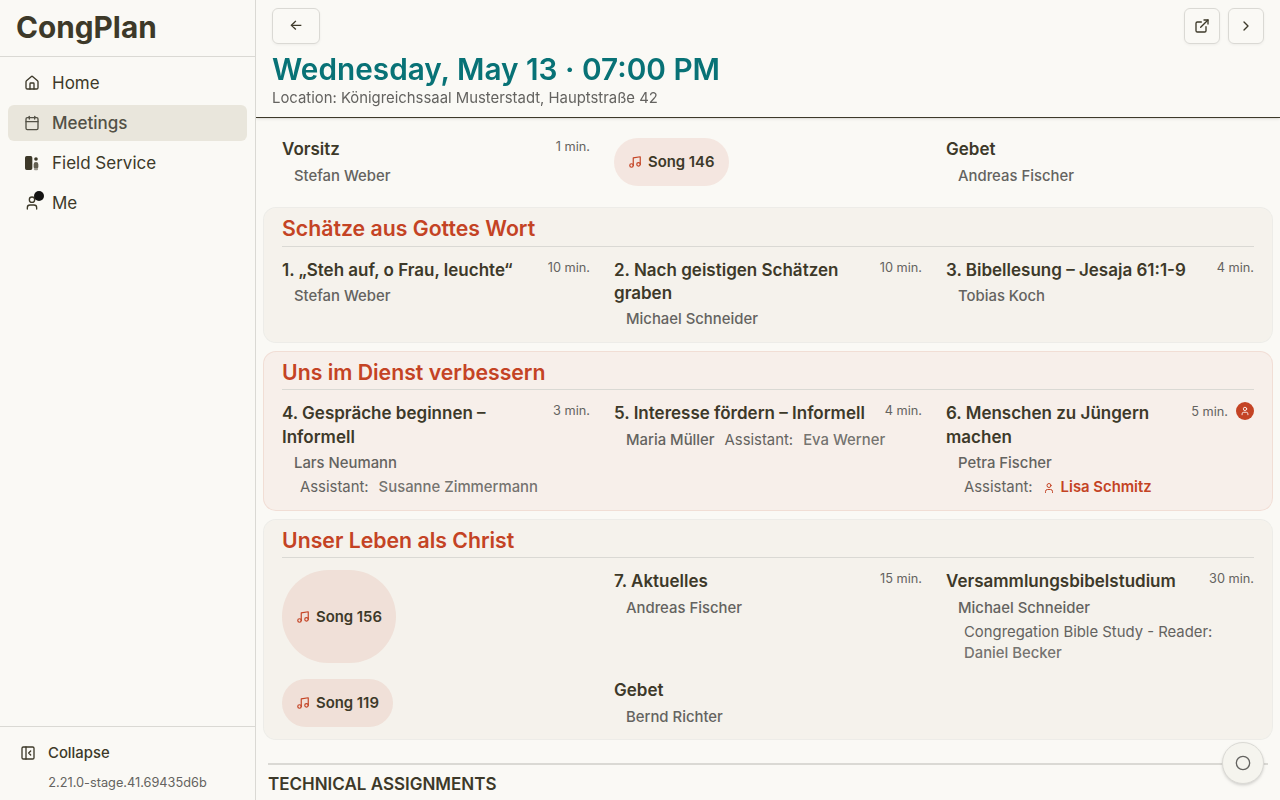
The meeting detail view shows the program, assignments, technical assignments, and linked tasks for one meeting.
Header
The header can show:
- Date and time
- Back navigation
- Previous/next meeting navigation
- Meeting location
- Source-material link where available
- Edit controls if you have permission
Midweek Meeting Parts
The Life and Ministry Meeting is displayed in the S-38 section order:
- Treasures From God's Word
- Apply Yourself to the Field Ministry
- Living as Christians
Parts show title, duration, assignment type, and assigned publishers. Student assignments can include an assistant.
Technical Assignments
Technical assignments are shown separately from meeting parts. The exact roles depend on the congregation's templates, for example stage, microphones, attendants, sound, or video.
Keeping technical assignments in the same detail view helps chairmen, technical coordinators, and publishers understand the full meeting context without treating sound, stage, or attendant work as a separate spreadsheet.
Tasks
Linked tasks can appear on the meeting detail page. A task may be assigned to a publisher, a service group, or the whole congregation.
Editing Workflow
Users with the right permissions can switch into edit mode. Current planning uses a staged workflow:
- Open edit mode
- Change assignments, technical assignments, or relevant meeting details
- Review warnings, conflicts, and absence indicators
- Save all pending changes
Some views show conflict markers and a conflict list so you can jump directly to the affected part. The person picker can also show qualification, history, and absence information.
If a change is visible as pending, it is not final until you save it.
Planning Signals
During editing, CongPlan can surface signals that are easy to miss in a manual plan:
- Existing assignments for the same publisher
- Absences that overlap the selected date
- Qualifications for the selected role
- Recent assignment history
- Public-witnessing, field-service, or task context that also appears in the personal plan
These signals do not replace the coordinator's decision. They make the decision visible before the schedule is saved.