Dashboard
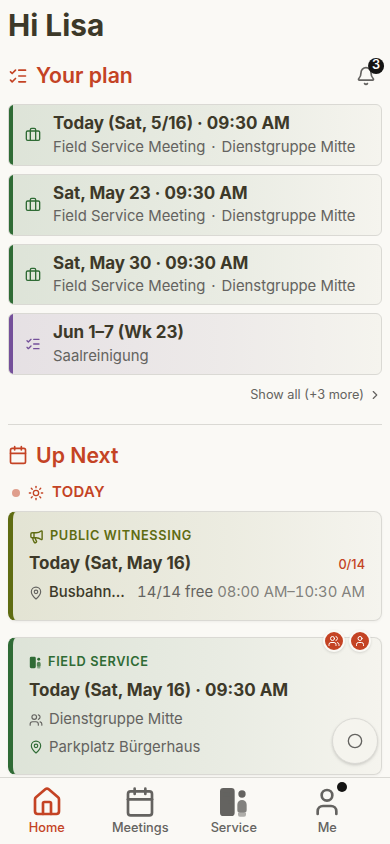
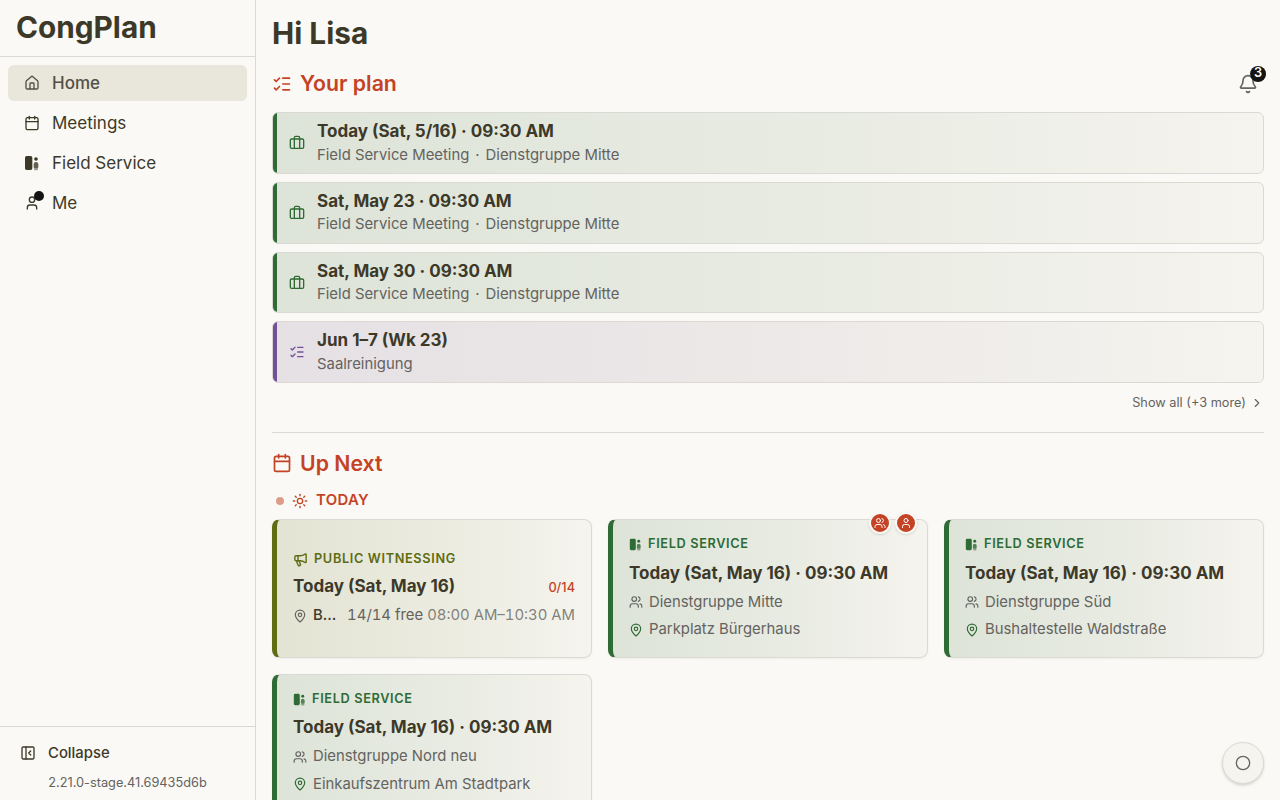
The dashboard is your personal home screen. It shows the next things that matter to you across meetings, field service, public witnessing, and tasks.
Setup Assistant and Feature Overview
If notifications or a passkey still need attention, a Continue setup link opens the setup assistant. The link disappears when both items are settled.
The separate Feature Overview remains available from:
- The ⋮ menu next to the dashboard title
- The Command Palette
- About this app
The Feature Overview page lists what CongPlan can do, filtered to your permissions, with a View button per feature. Its Read up and watch section links to the full documentation and to short demo videos.
My Plan
My Plan is a compact personal timeline. It can include:
- Meeting assignments for midweek and weekend meetings
- Technical assignments
- Field service meetings you are part of
- Public-witnessing shifts where you are signed up
- Tasks assigned to you, your field service group, or the whole congregation
A task linked to one of your meetings appears as an extra line inside that meeting's entry instead of a separate row. A two-person school assignment shows your role together with your partner's name.
Open Me > My Plan to see the longer plan and load further 13-week blocks instead of using only the compact dashboard preview.
What's Next
The What's Next area highlights near-term items such as field service meetings. A field service meeting card shows:
- Date and time
- Field Service heading
- Leader
- Meeting point with map link where available
- Field service group
Completed items disappear when they are no longer useful: a congregation meeting one hour after it ends, and a field service meeting three hours after its start.
Navigation
Use the sidebar on desktop or the bottom navigation on mobile:
- Home — Dashboard
- Meetings — Meeting list and calendar
- Field Service — Field service meetings and public witnessing
- Me — Personal planning, settings, devices, and app state
- Congregation — General information plus permitted planning, organisation, and system tools
- About this app — Inside Congregation > General; app version, release notes, feature overview, and licenses
For the best mobile experience, install CongPlan as a PWA. Push notifications require browser support and notification permissions.