Announcements
Announcements are short messages from the congregation that appear directly in CongPlan — for example a reminder about a special meeting, a change to the field service arrangement, or a note for the whole congregation. They keep important information in one place instead of spreading it across paper slips, chats, and e-mails.
Open Congregation > General > Announcements.
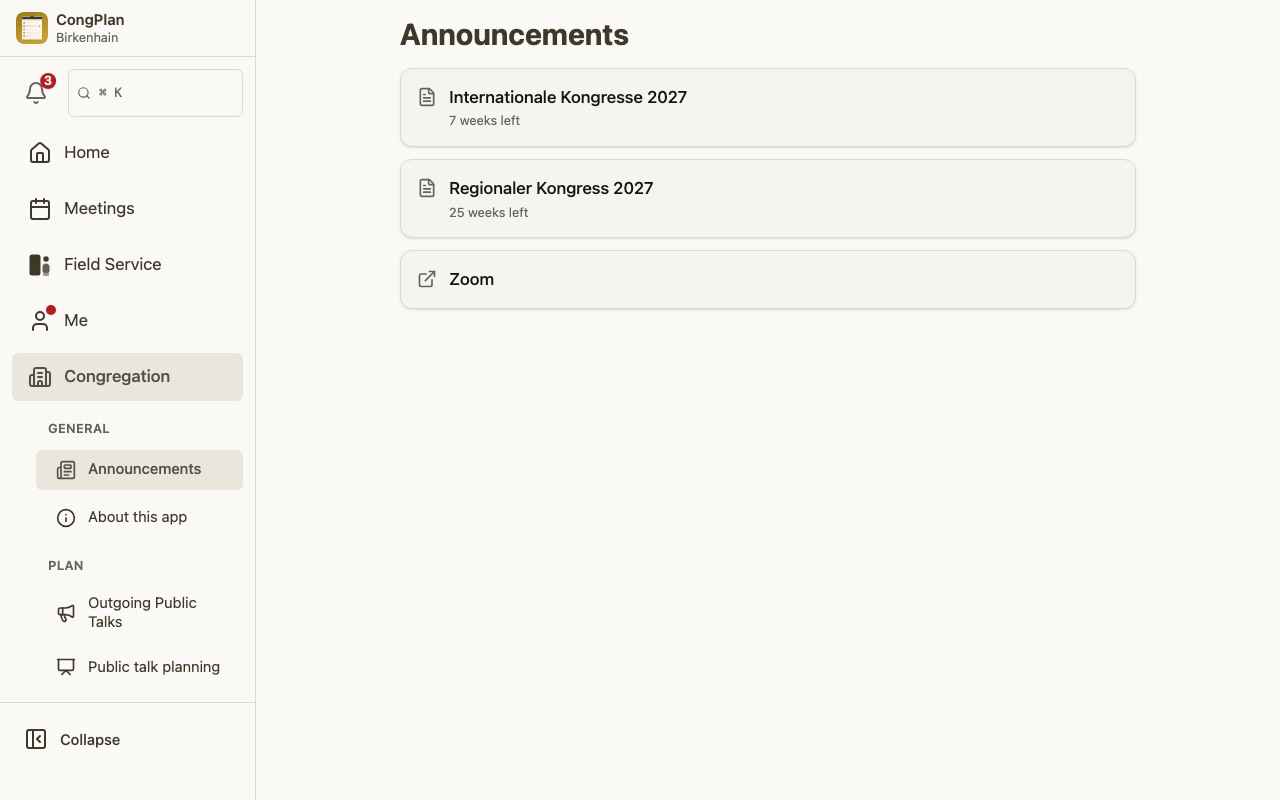
Where Announcements Appear
Announcements are shown on the home page so you see them the next time you open the app. When there are messages you have not read yet, an unread indicator appears both on the home page and in the navigation, so a new announcement is easy to spot at a glance.
Once you have read a message, it stops counting as unread. Announcements that are no longer relevant disappear on their own once their expiry date has passed, so the list stays short and current.
What an Announcement Can Contain
Besides the message text, an announcement can include:
- Images — for example a scanned notice or a small poster.
- Links — to a document, a form, or another page.
- An expiry date — after which the announcement is hidden automatically.
Posting an Announcement
Publishing an announcement is a congregation task, so it is available to users who have permission to manage announcements — typically the same people who look after congregation-wide communication. If you do not see the option to create one, you do not have that permission; that is intentional, not an error.
When you post an announcement, keep it short and clear, add an expiry date where it makes sense, and only attach images or links that everyone in the congregation may see.
A full administrator can also open the page's ⋮ menu and choose Send Notification. This sends one separate message to all congregation members; the composer is no longer part of Congregation Settings.
Opening a text announcement shows the full message in a sheet. Its footer shows the last-modified date. Announcement editors also see the editor name and can open View all changes in that sheet.
During the Meeting
Closing announcements are part of the meeting flow. When the chairman opens the Conducting a Meeting view, the relevant announcements appear in running order together with the program and notes, so nothing important is forgotten at the end of the meeting.