Field Service
The Field Service area holds everything a congregation arranges around the ministry: the meeting points where a group gathers before going out, and the congregation's public witnessing. Both live on one surface, in one shared window of dates, so nobody has to check two places to know what is happening next Saturday.
Three Workspaces, One Header
The area is divided into three workspaces, switched in the page header:
- Overview — everything together: meeting points and public witnessing in one chronological list.
- Meeting Points — the planning workspace for field service meetings, as a list; month planning happens in the Calendar. See Meeting Points.
- Public witnessing — the day and planning views for public witnessing.
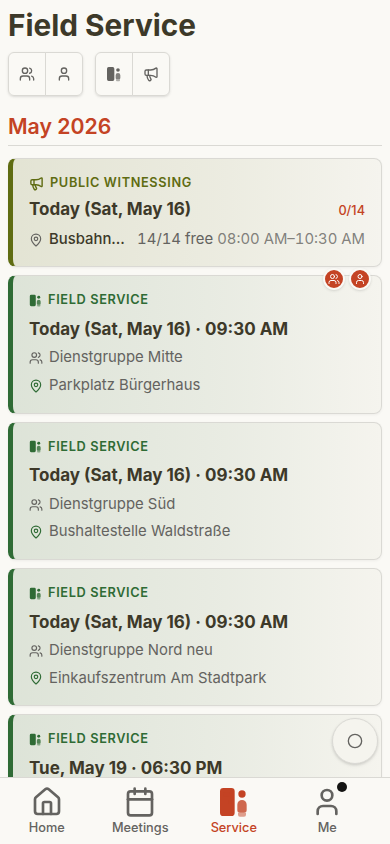
The header holds the workspace switcher and — where a workspace has them — its filters, so the controls always sit in the same place instead of moving around from screen to screen. Which workspaces you see depends on what you may do: the Public witnessing workspace appears for publishers who are eligible for public witnessing and for those who may plan it, while the Meeting Points workspace needs the field-service permissions described below.
One Continuous Window of Dates
The overview no longer shows "everything" or a fixed month. It reads a continuous window of 90 days starting from today, and tells you exactly where that window ends — a marker below the last entry names the last day it covers. If you need to look further ahead, Load 90 more days appends the next block of 90 days to the same list; the window only ever grows forwards, without gaps and without overlaps.
Both sources — meeting points and public witnessing — are read through that same window. This is what makes the overview and the Meeting Points list agree: the same dates, the same entries, the same counts.
Filters
Inside the Meeting Points workspace, two personal filters narrow the list down further:
- My Group — only the meeting points of your own field service group.
- I Lead — only the ones you are conducting yourself.
Both can be on at the same time. There is no separate "only meeting points" / "only public witnessing" filter any more: since the area was split into workspaces, picking the workspace is that choice — Overview shows both sources, the other two show exactly one each.
The personal toggles appear only when they actually apply to you. If you are not currently in a field service group, CongPlan says so instead of offering a dead control.
What a Meeting-Point Card Shows
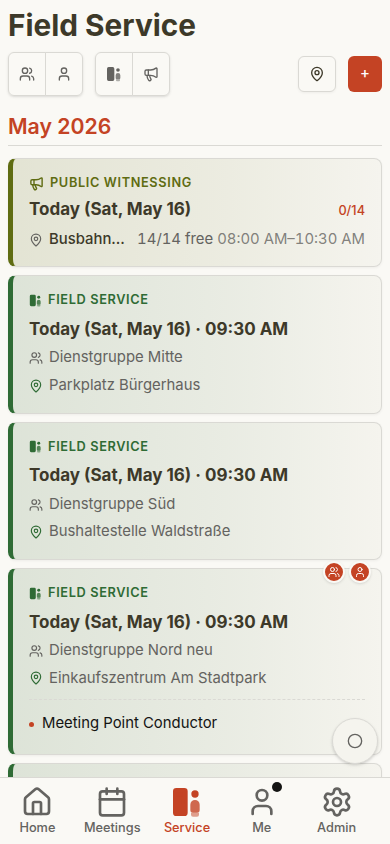
Each meeting-point card carries:
- Date and time
- The Field Service label
- The conductor — the person conducting this meeting point
- The location, with a link into the device's maps app where coordinates are stored
- The field service group the meeting point belongs to
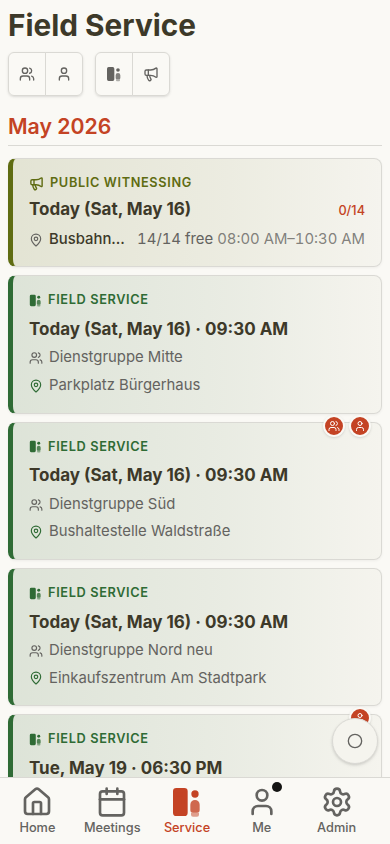
Conductor and group are shown together as two separate lines on the card, and each is marked when it concerns you — your group, or a meeting point you are conducting yourself. That way a publisher can tell at a glance whether a card is theirs, without opening it.
A meeting point can belong to several groups. Two or more groups are listed together, and where the group names share a numeric pattern they are collapsed into a short form such as Groups 3 + 4. A meeting point with no group is a congregation-wide one and shows no group line at all.
When One Source Is Unavailable
Meeting points and public witnessing are loaded independently. If one of them cannot be loaded — no permission, no connection, or a temporary error — the other stays usable. A note names the source that is affected, explains why, and offers to reload just that part. The page never goes blank because one half of it failed.
Who May See and Edit
- Seeing meeting points is a standard publisher right (
fieldServiceMeetings.view) and is granted by default. - Managing all meeting points requires the field-service edit permission (
fieldServiceMeetings.edit), which includes the view right. - Group overseers, group servants and their assistants may manage the meeting points of their own group without that congregation-wide permission.
- A congregation may additionally allow the assigned conductor to edit their own meeting point — for instance to correct the time or the location shortly beforehand.
The full rules, including what a group leader may and may not change, are on the Meeting Points page. For permission names and how they are granted, see Permissions.
Where Else Field Service Appears
- Home — the next appointments in the dashboard preview
- Field Service — this area
- Me > My Plan — the meeting points you are personally involved in
- Calendar subscription — your own appointments in your personal calendar feed, see Calendar Subscription
- Print — a meeting-point schedule with time, location and conductor, see Print Center
Public Witnessing
Public witnessing keeps its own day and planning views. See Public Witnessing for publisher use and Public Witnessing Planning for planner and administrator use.
Terms to Keep Apart
- Conductor — the person conducting one specific meeting point
- Group overseer / Group servant — the brother taking the lead in a field service group; group overseer only if he is an elder, otherwise group servant
- Assistant — the brother assisting the group lead
- Field service group — the group a meeting point belongs to, see Field Service Groups
Mobile Views by Role
Field service is visible to publishers in everyday use. Additional controls appear only when the user has the corresponding coordination or administration permissions.
See Role-Based Gallery for the full role comparison.