Notifications & Reminders
CongPlan keeps you informed about the things that concern you — a new assignment, a task that is due, a hand-over request that needs an answer, or a reminder before a meeting. Notifications appear inside the app and, if you allow it, as push notifications on your device.
The Notification Center
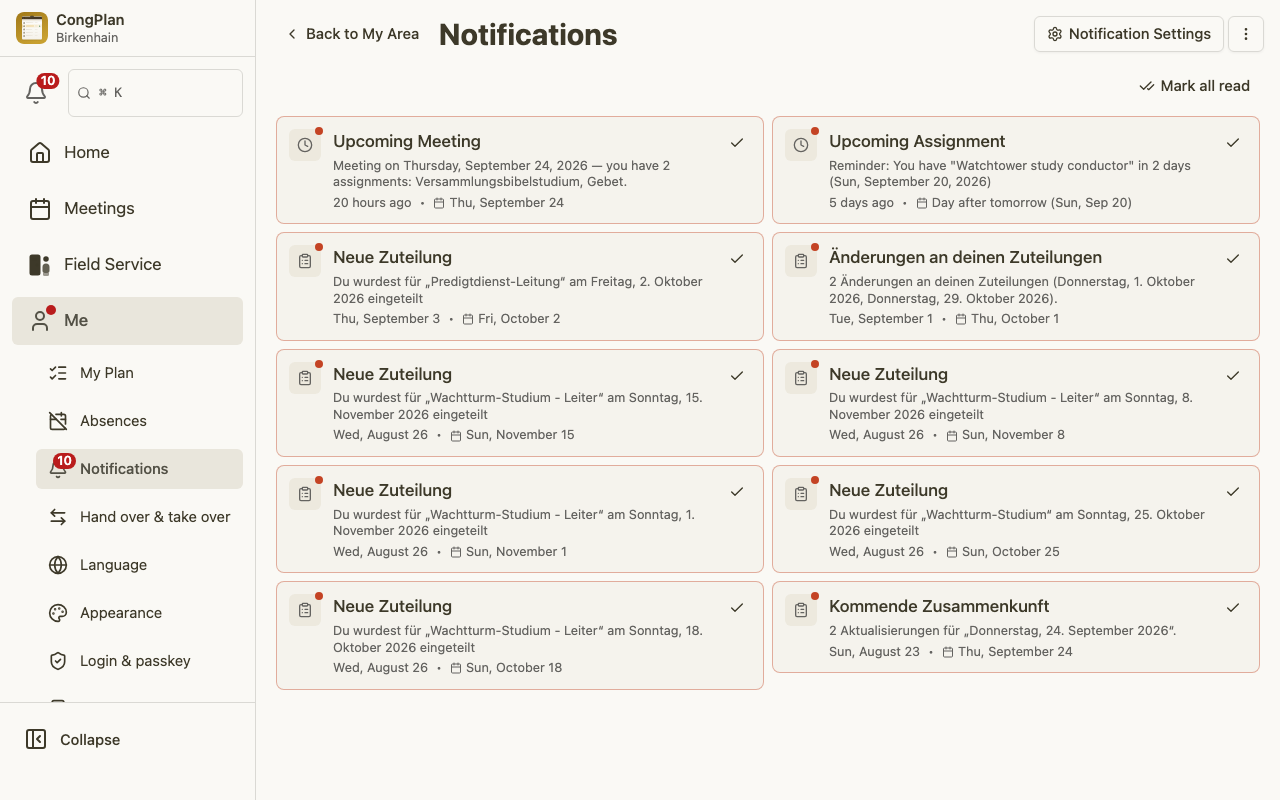
Open Me > Notifications to see your personal notification list. Each notification is a short message about something that happened or is coming up, such as:
- A new or changed meeting assignment or technical assignment.
- A task assigned to you, your field service group, or the whole congregation.
- A hand-over request you can take over, or an update on a request you sent.
- Reminders ahead of meetings, field service meetings, or public-witnessing shifts you are part of.
- When you actively represent another person, their new, changed, or cancelled assignment. Its title starts with For NAME: so it cannot be mistaken for your own assignment.
Unread notifications are highlighted so you can tell at a glance what is new. The gear button in the page header opens notification preferences directly.
Reminder Timing
Reminder timing is configured separately for each category:
| Assignment type | Default reminders |
|---|---|
| Meeting part | 1 week before, 7pm the day before |
| Outgoing public talk | 1 week before, 7pm the day before |
| Technical assignment | 7pm the day before |
| Task | 7pm the day before |
| Field service | 7pm the day before |
| Representation | 7pm the day before |
Each category holds at most five preset or custom times. Custom times combine a day offset and clock time. The same selection is used for in-app and push reminders. Open Me > Notifications, then use the gear button to choose channels, change times, or turn a category off.
Representation has its own reminder timing. It covers the represented person's meeting parts, technical assignments, field service meetings, tasks, outgoing public talks, and public-witnessing shifts. It does not reuse that item's normal reminder category, so representatives can choose one cadence for all represented plan entries.
Jump Straight to the Right Place
Notifications are deep-linked: selecting one opens exactly the screen it refers to — the meeting, your personal plan, the task, or the hand-over request — instead of just dropping you on the home screen. This makes it quick to act on a notification and move on.
Push Notifications
To receive notifications when the app is closed, install CongPlan as a PWA and allow notifications in your browser. See Installation for the setup steps.
- Push delivery depends on browser support and on the notification permission you grant.
- Choose which channels you receive under Me > Notifications.
- A full administrator sends a one-off congregation-wide message from the Announcements page's ⋮ menu with Send Notification. There is no separate Communication settings page.
Congregation-wide notifications use the congregation language, not your personal interface language. Assignments and reminders for a foreign-language group's meetings use the group language, falling back to the congregation language when needed.