Assignments
CongPlan keeps your personal assignments and duties in one plan instead of splitting them across separate pages.
Personal Plan
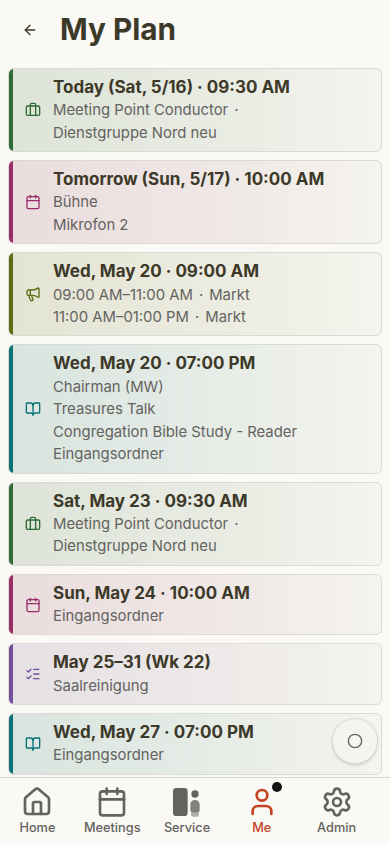
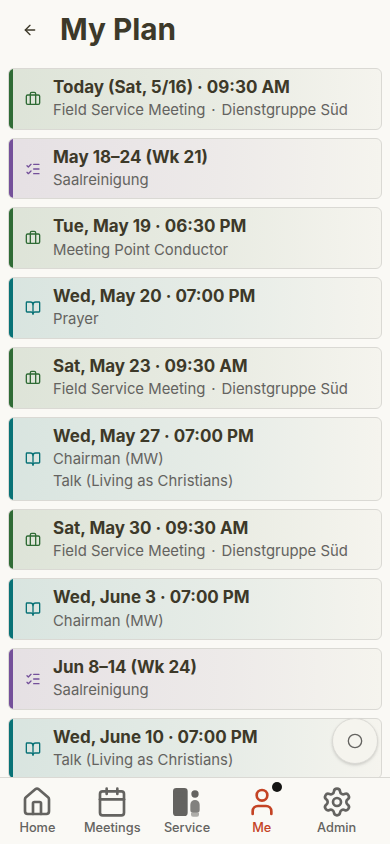
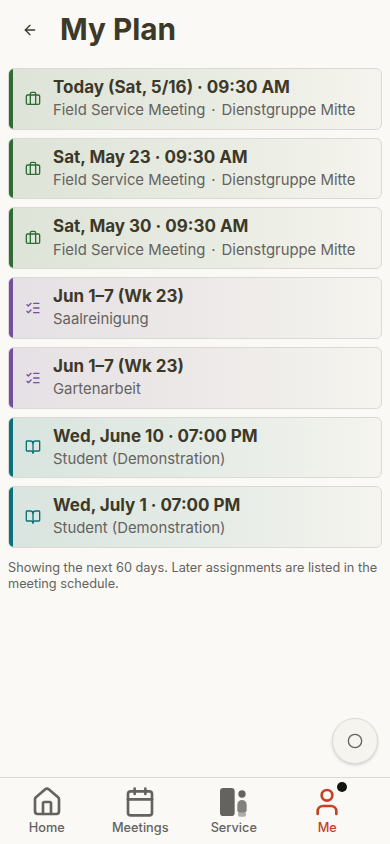
Open Me > My Plan to see the future timeline. Existing future meetings, assignments, meeting points, outgoing talks, and absences no longer stop at a fixed 60-day boundary. Open task series and public-witnessing dates load in 13-week blocks; Load more extends them up to the limit stated on the page.
- Meeting parts in midweek and weekend meetings
- Technical assignments
- Field service meetings
- Public-witnessing shifts
- Tasks assigned to you, your field service group, or the whole congregation
The dashboard shows a shorter preview of the same idea.
Because these items share one plan, you do not need to check a meeting page, a technical-assignment sheet, a public-witnessing list, and separate task notes just to know what is coming up. The personal plan is the everyday view for publishers and the quick verification view for planners.
Assignment Details
Each item shows the date, type, and relevant role or title. Selecting an item opens the related meeting, field service meeting, public-witnessing day, or task context.
Student assignments can show both student and assistant. Technical assignments and tasks appear with their own labels so you can distinguish them from meeting parts.
If a task is assigned to your field service group or to the whole congregation, CongPlan can show it alongside personal assignments while keeping the label clear. That helps publishers recognize what directly involves them and what belongs to a wider group.
A one-time task shows its own day, and a task linked to a meeting appears on that meeting's date. On the Home preview, a standalone weekly task remains visible through Sunday. On the full My Plan page, that standalone row drops after Monday; meeting-linked tasks stay with their meeting.
Cross-Context Assignments
If your congregation plans for more than one context — the congregation and its foreign-language groups — CongPlan flags assignments that cross contexts: a badge marks a publisher assigned from outside the active group, and a second badge warns when that person already holds an assignment elsewhere the same day, so a scheduling conflict is visible before it is committed. See Foreign-Language Groups for how planning contexts work.
Hand over & take over
Your own technical assignments carry a Hand over button, and so do your meeting parts if the congregation allows it. An open request turns the button into its status, so you can return to the recipient list without hunting through notifications. See Hand over & take over.
Notifications
When notifications are enabled, CongPlan can notify you about new or changed assignments. Depending on browser support and your settings, notifications may appear:
- In the app notification center
- As push notifications on installed devices
- As reminders before upcoming assignments
Open Me > Notifications, then use the gear button for preferences.
Absences
If you are unavailable, add an absence under Me > Absences. Coordinators see absences while planning and can avoid assigning you during those dates.
Enter planned vacations, conventions, assemblies, or other known absences early. That makes automatic suggestions and manual planning more reliable.
Mobile Plan Examples
The personal plan changes with the user. Administrators, elders, and publishers see the items relevant to their assignments and permissions.
See Role-Based Gallery for more examples.