Foreign-Language Groups
Some congregations look after a foreign-language group — a group of publishers who meet and serve in another language while still belonging to the one congregation. CongPlan lets you plan for such a group as its own planning context inside the same congregation: the group can have its own language, its own program, and its own planners, without becoming a second congregation.
A group can be a Pregroup (an emerging group) or a full Group. The brother taking the lead is titled a Group Overseer when he is an elder, and a Group Servant otherwise — the same rule CongPlan applies to every field service group leader.
This is an opt-in feature. Its congregation-hub entry remains visible while it is off, but the page shows a disabled-state explanation instead of management controls.
Enabling the Feature
Foreign-language groups are off by default. An administrator enables them in the congregation settings with Enable foreign-language groups. The disabled page links there for users who may change settings. Only once the feature is on do group management and the planning-context switcher appear.
You can turn the feature off again, but only while no active groups exist. If groups are still active, archive them first; the setting explains this when it blocks the change. Archiving keeps a group's history intact while removing it from active selections.
Creating a Group
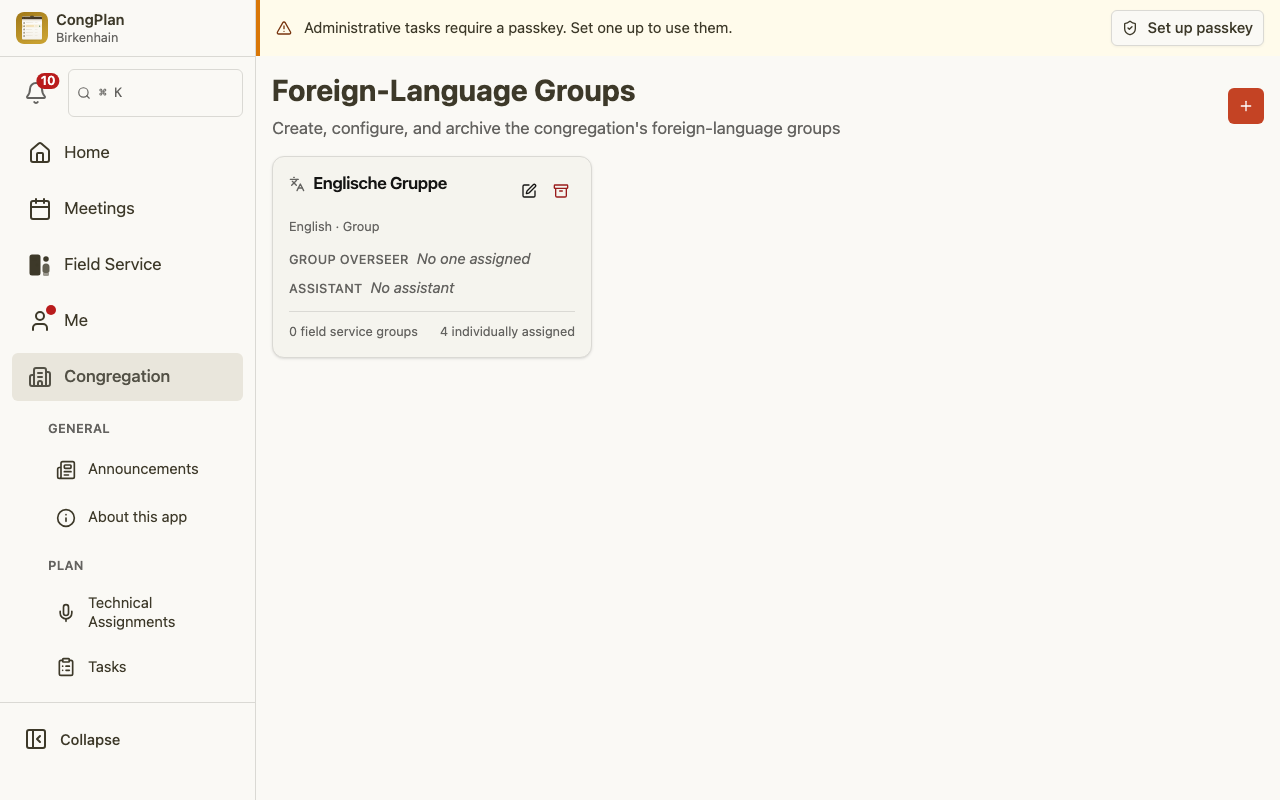
With the feature on, open Foreign-Language Groups from the congregation management area and add a group. For each group you set:
- Name and the group's language. The language matters throughout: it decides which program the group plans in, and it drives the language of its notifications.
- Status — Pregroup (an emerging group) or Group.
- Leadership — the brother taking the lead, and optionally an assistant. His title follows from his appointment, not from the group's status: an elder leads as Group Overseer, otherwise as Group Servant.
- Program — whether the group plans its own midweek meeting, its own weekend meeting, or both. For the weekend you also choose the program scope: Full program, Watchtower Study only, or Public talk only. This reflects how much of the weekend a group actually holds itself.
- Members — publishers belong to a group in two ways: through their field service group (managed on the field service group, shown here for reference) or individually assigned here. A publisher may belong to several groups.
- Planners — the publishers who are allowed to plan this group's program.
Group membership deliberately reuses the field service group structure, so you assign most publishers once and both areas stay in step. See Field Service for how field service groups work.
The Planning Context
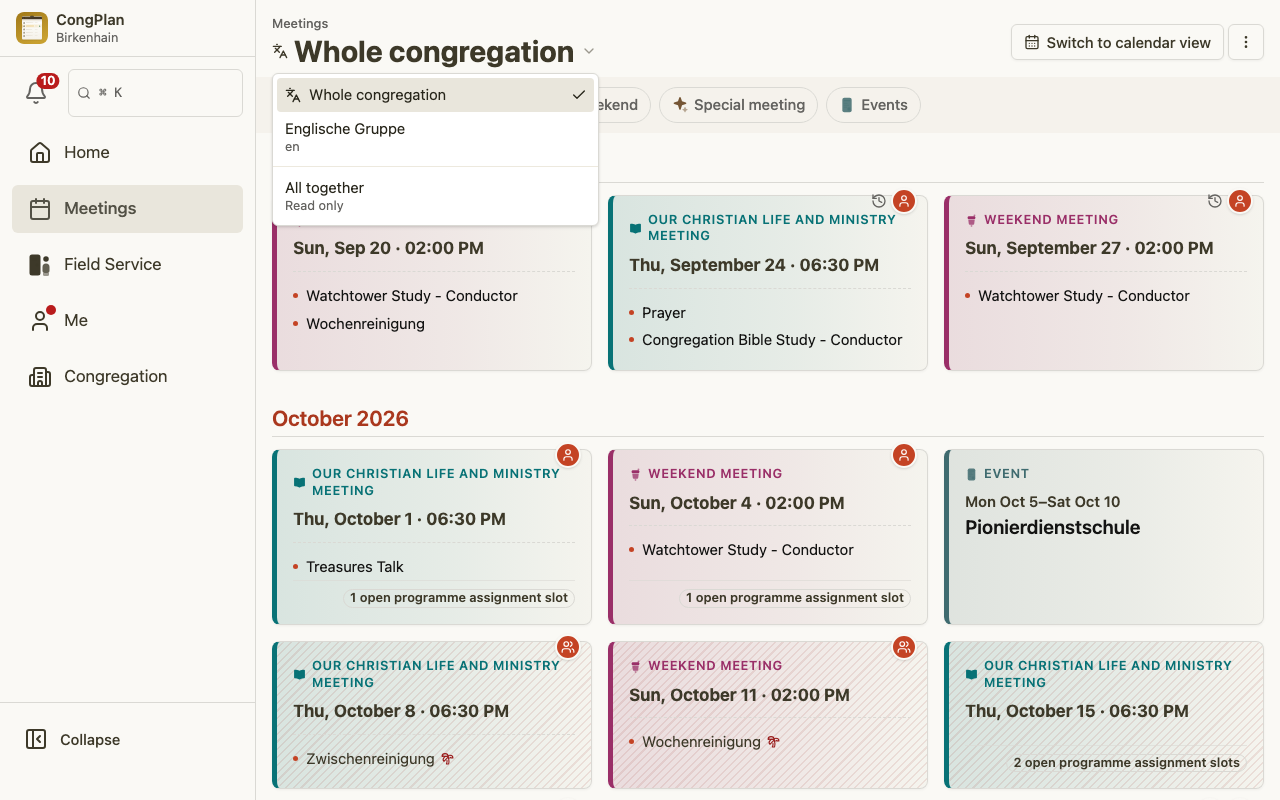
Once a group exists, planners gain a planning-context switcher at the top of the planning screens. It offers Whole congregation and each group you may plan for. Switching context changes what you are planning for — the whole congregation, or one specific group — while you stay in the same familiar screens.
The context is always resolved from the meeting or group you are working on, never guessed from the language your app happens to be in. If you only ever plan for the congregation, you will not notice any change.
Planning in a Group Context
Inside a group context, planning works just like it does for the congregation, with a few group-aware touches:
- Meetings carry their context and scope. A group's midweek or weekend meeting is planned in the group's language and only for the parts the group actually holds (the weekend program scope you set above). Templates are pulled in the group's language.
- Cross-context assignments are visible, not hidden. You can still assign a publisher from the wider congregation to a group part. When you do, CongPlan makes it obvious — the person is badged as coming from outside the group, and their overall workload across contexts is shown — so you can weigh a scheduling conflict before you commit to it rather than discovering it afterwards.
- A group's plan is separate. A group's draft meetings and assignments are visible to that group's planners; they are not mixed into the congregation's plan for everyone else.
Overviews, Print, My Plan & Calendar
Group planning flows into the same outputs you already use:
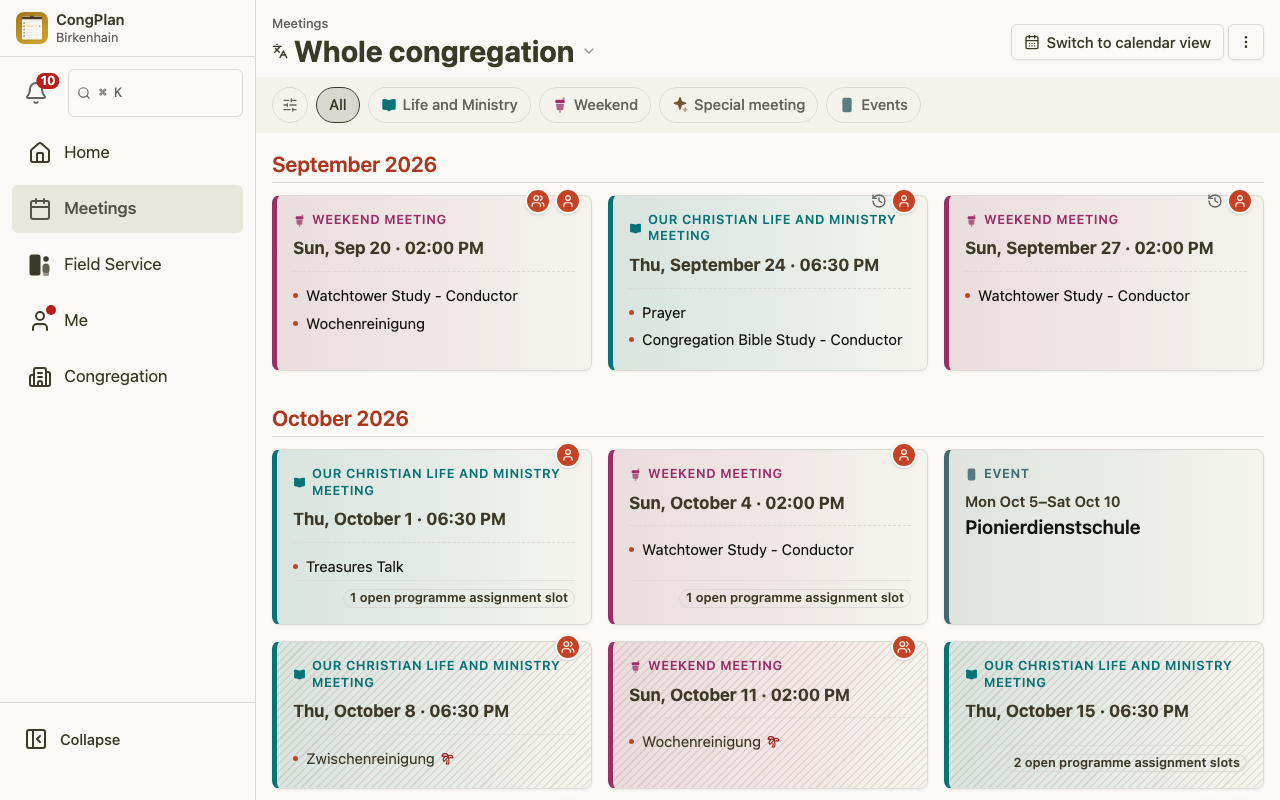
- Combined overview — the meeting overview and print layouts show group meetings alongside the congregation's, each labelled with its context, so an overseer can see the whole picture on one page.
- My Plan — a publisher assigned in a group sees those assignments in their personal plan just like any other assignment.
- Calendar subscription (ICS) — group assignments appear in the personal calendar feed with their context. See Calendar Subscription.
The Public Schedule
The anonymous public schedule page never exposes a group unless the congregation opts in. Opt-in is off by default, and with it off the public page reveals nothing about group membership, group meetings, or who is assigned to them. Only when an administrator deliberately turns it on does a group's meeting times join the public page.
Notifications
Reminders and notifications for a group meeting follow the group's language, falling back to the congregation's language only when the group has none set. A publisher planned in a Portuguese group is reminded in Portuguese, even if the rest of the congregation works in another language. See Notifications & Reminders for how reminders are delivered.
Roles & Permissions
- The brother taking the lead — a Group Overseer if he is an elder, otherwise a Group Servant — is set on the group, together with an optional assistant.
- Planners you list on the group may plan that group's program — and only that group's.
- Administrators enable the feature, create and archive groups, and decide whether the public schedule opts in.