Tasks
Use Congregation > Plan > Tasks for recurring or one-time duties such as cleaning, maintenance, security, garden work, and other congregation tasks.
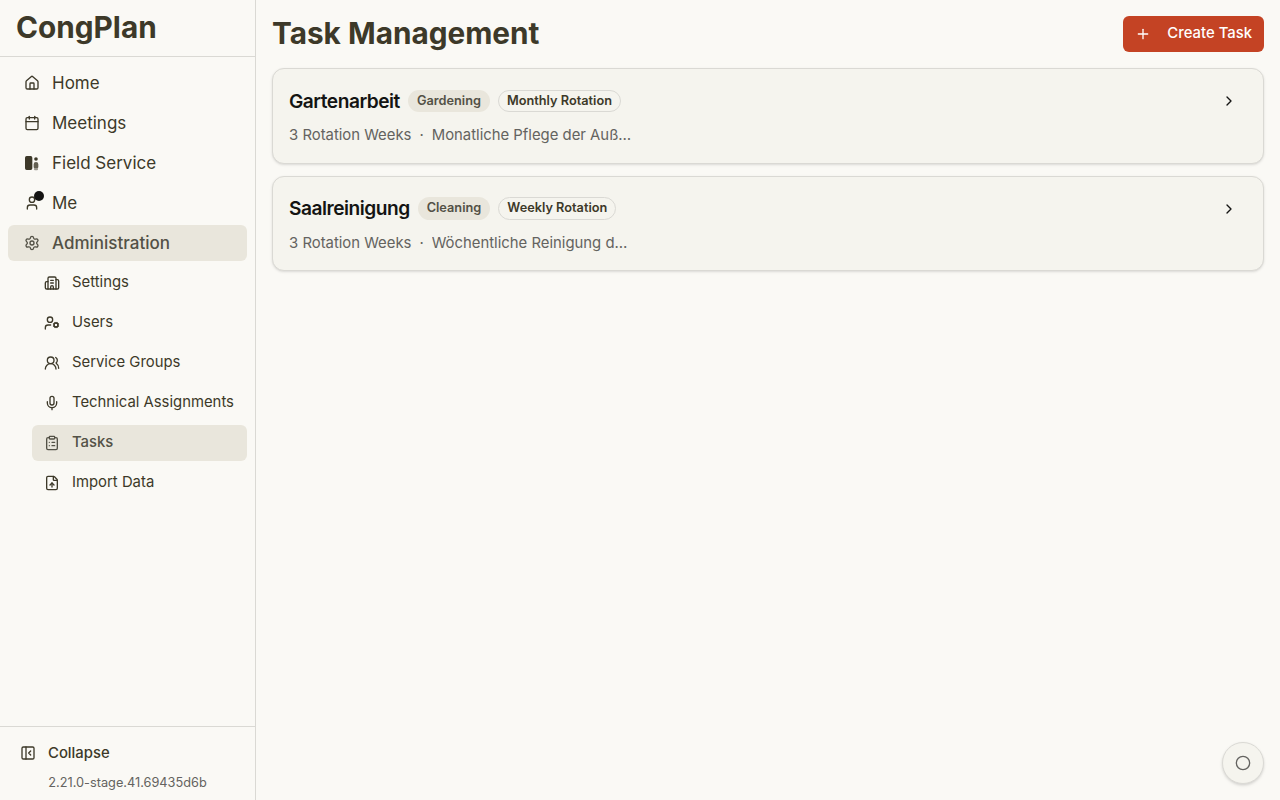
To plan the cleaning by field service group, alternating week by week, follow Plan cleaning and other recurring tasks.
Overview
Each task can show:
- Title
- Category
- Frequency
- Active/inactive state
- Description
- Upcoming schedule preview
- Assignees
Categories
Common categories include:
- Cleaning
- Garden work
- Snow removal
- Maintenance
- Security
- Other
Frequencies
Tasks can be:
- Weekly rotation
- Monthly rotation
- One-time
- Connected to specific meeting/event weeks where configured
Assignees
A task can be assigned to:
- A specific user
- A field service group
- The whole congregation
Tasks can appear in the personal plan and on meeting detail pages when they are linked to a meeting week.
Opening a task from the personal plan shows its date or week, assignees, and description in a read-only sheet. The footer shows when it was last modified; task editors also see who changed it and can open View all changes.
Creating and Editing
- Select Add Task
- Enter title, category, frequency, and optional description
- Configure assignees and schedule data
- Save
Open an existing task card to edit it.
Deleting a task removes future scheduled occurrences. Prefer deactivating a task when it may be needed again later.