Chairman Notes
The chairman notes feature is a digital notepad for whoever conducts a meeting. It knows the flow of the meeting and leaves room for your own remarks — timings, transitions, and short reminders.
Live Sync Between Your Devices
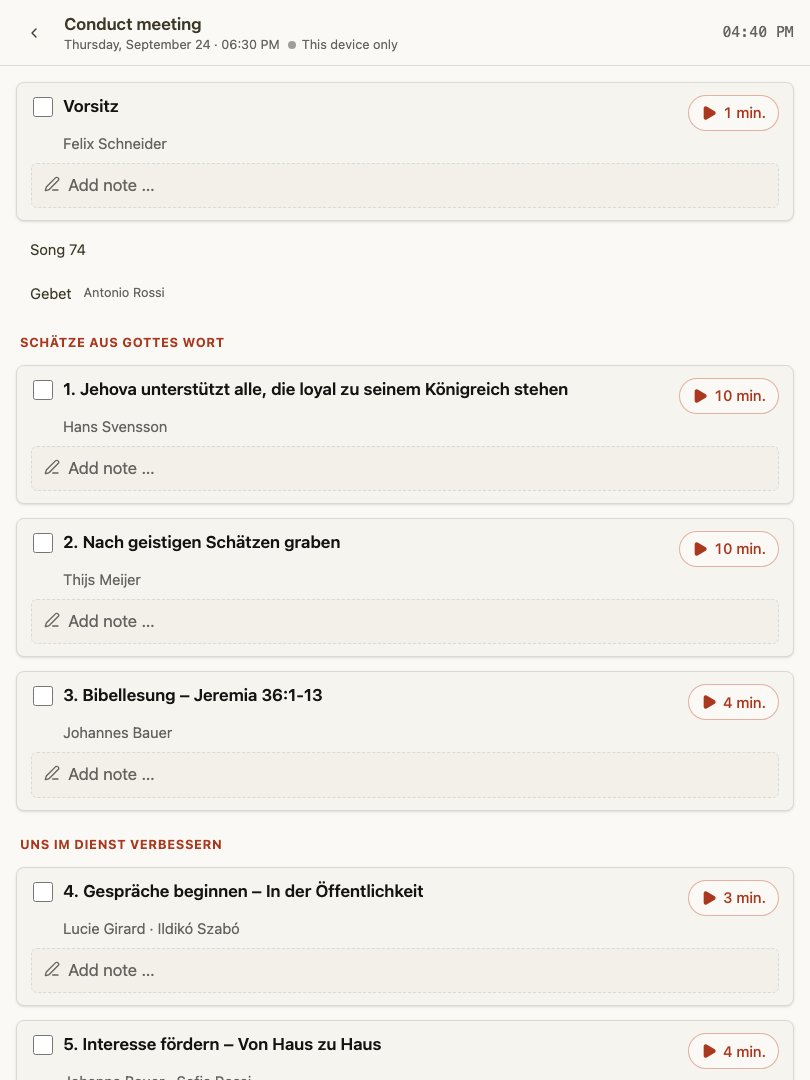
Many chairmen keep a tablet on the lectern and a phone close at hand. With live sync, your notes stay in step on both devices: write on one, and it appears on the other. This way you do not get confused when you switch devices during the meeting.
To use the sync, open the chairman notes on both devices while they are connected. A status indicator shows whether the connection is active.
The sync runs over a direct connection between your own devices. The notes are not stored permanently on a server — the connection only relays them between your devices. If the connection has trouble, you see it clearly and can keep working on each device on its own.
Where to Find It
Chairman notes are available from the meeting the chairman is conducting. The notepad is built for the situation at the lectern: easy to read, quick to reach, and tied to the current part on the program.
The notes now live inside the Conducting a Meeting view: opening the notepad from the meeting page takes you there, where your notes appear alongside the program and the closing announcements in one running order. It is the same notepad described here, so the live sync between your devices works exactly as above.
Tips
- Open the notepad on both devices before the meeting starts so the connection is ready.
- If the status shows a connection problem, your notes are still safe on the device you are using; the two simply will not update each other until the connection is restored.