Outgoing Public Talks
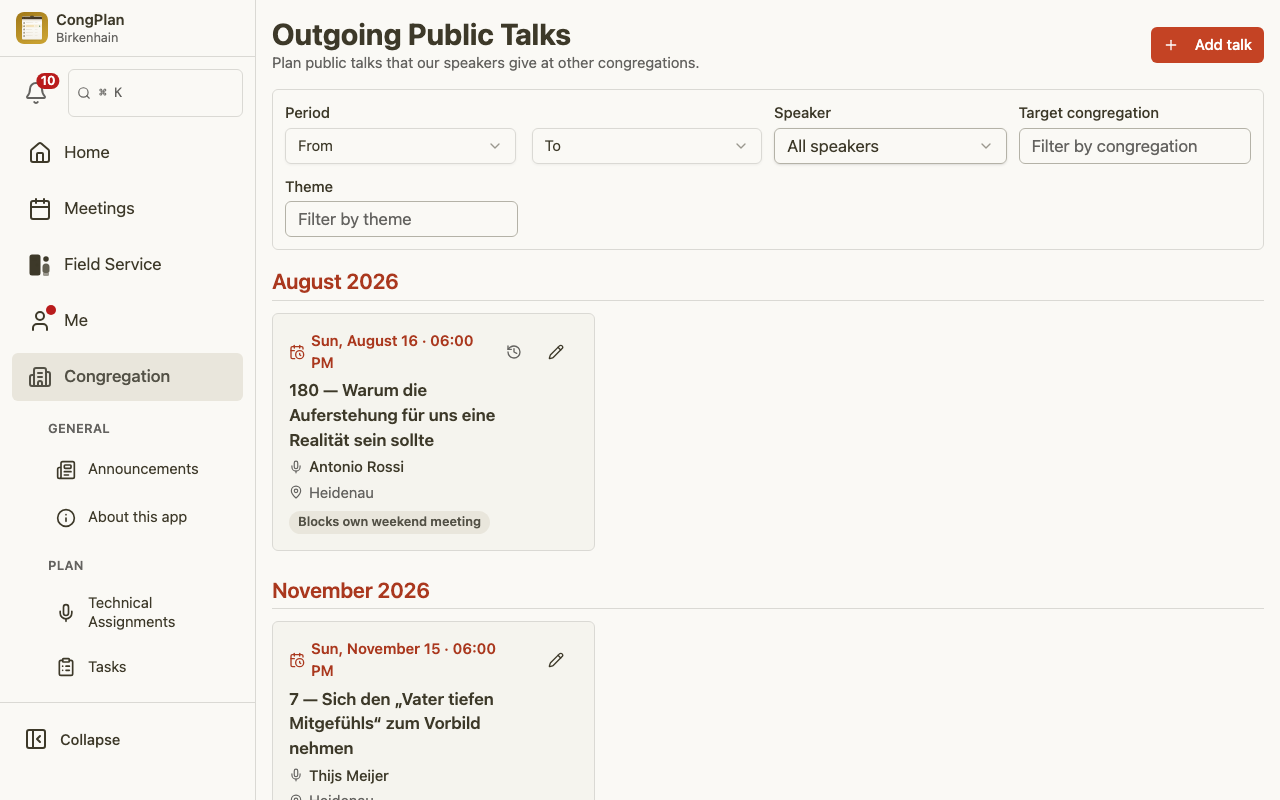
When one of your speakers gives a public talk at another congregation, you can plan and keep track of it here. Outgoing public talks live next to the rest of your planning, so the same speaker is not also booked for your own weekend meeting by mistake.
Outgoing or Local?
This page is only about talks that go out of your congregation:
- Outgoing — here. Your speaker travels away and gives the talk at another congregation. The talk belongs to the hosting congregation's program; nothing is planned into your own weekend meeting. The entry exists so everyone knows he is away that day.
- Local — in Public Talk Planning. The talk is held at your own hall as part of your weekend meeting, whether the speaker is one of your publishers or a guest from another congregation. Theme, speaker, chairman, Watchtower Study conductor, and reader are planned there, on its own page under Congregation > Plan.
A short rule of thumb: where is our brother going is recorded here — who is on our platform this weekend is planned in Public Talk Planning. The two are separate lists and do not fill each other in.
Opening the Planner
Open Congregation > Plan > Outgoing Public Talks
(/admin/outgoing-public-talks). The list shows the scheduled talks with their
speaker, date, target congregation, and theme.
Adding a Talk
Choose Add talk and fill in the details:
- Speaker — the publisher from your congregation who gives the talk.
- Date and time — when the talk takes place.
- Target congregation — the congregation that is hosting. A built-in jw.org congregation finder helps you enter the correct name, which you can copy in directly.
- Theme — pick an outline from the public-talk catalog, or enter a free theme with its title if it is not in the catalog.
- Outline number — the number of the talk outline, where applicable.
Each entry can show a "Blocks own weekend meeting" badge, a clear reminder that the speaker is away and should not be assigned to your own weekend meeting that day.
Finding a Talk Again
Filters help you focus the list when there are many entries — by period (a from/to range), speaker, target congregation, or theme. The list shows how many entries match your current filters.
Opening a talk shows its details in a sheet. The footer shows when it was last modified; permitted planners also see who changed it and can open View all changes without leaving the list.
For the Speaker
Speakers see their own outgoing talks in their personal plan, and a reminder links straight to the entry. They can also print them from the Print Center using the "My plan: outgoing talks" template.